Agil modellering, kravkommunikation, Påskbord, smörgåsbord… Vad är lagom?
se” Priority=”60″ SemiHidden=”false” UnhideWhenUsed=”false” Name=”Light Shading Accent 6″/>


se” Priority=”60″ SemiHidden=”false” UnhideWhenUsed=”false” Name=”Light Shading Accent 6″/>
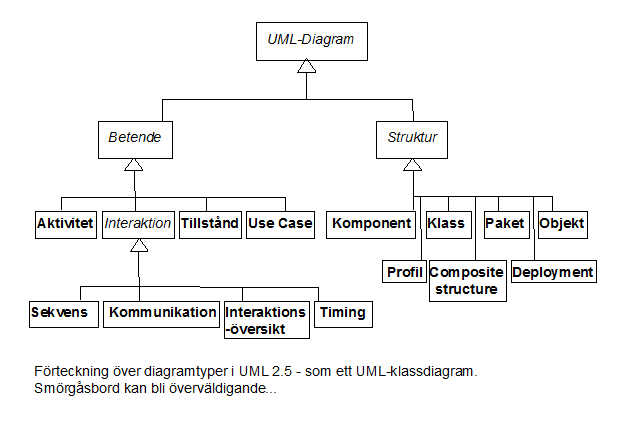
Vilka av de 14 bör alltid ingå?
Det finns lika många svar som roller, produktfamiljer, eller applikationsområden. Michael A. Jackson (min forne arbetsgivare) kategoriserade applikationsområden i ett antal Problem Frames, som t ex operatörs- och övervakningsstöd, editorer (för text, bild, presentationer), styrsystem och automation, informationssystem, fil- och dataomvandling, osv.
När det klarnat vilket/vilka ”frames” som kommer att dominera projektet är det lätt att välja bland både diagram och metoder/processer/arbetssätt. I agil modellering är det syftet som avgör. I den vanliga jämförelsen med hus (där olika ritningar visar grund, byggnad, VVS, el, tele, bredband osv) fungerar Problem Frames även som arkitekturgrund. I en blivande ishall eller gym behöver man lyfta fram andra saker än i en villa, och på samma sätt blir arkitekturen för ett processtyrningssystem olik en editor.
ii-theme-font: minor-latin; mso-bidi-font-family: "Times New Roman"; mso-bidi-theme-font: minor-bidi; mso-fareast-font-family: Calibri; mso-fareast-language: EN-US; mso-fareast-theme-font: minor-latin; mso-hansi-theme-font: minor-latin;”>
rder-bottom-right-radius: 0px; border-top-left-radius: 0px; border-top-right-radius: 0px; border: 1px solid #cccccc; box-sizing: border-box; color: #333333; font-family: Menlo, Monaco, Consolas, ’Courier New’, monospace; font-size: 13px; line-height: 1.42857143; margin-bottom: 10px; overflow: auto; padding: 9.5px; word-break: break-all; word-wrap: break-word;”>h2 {
font-family: Verdana;
font-size: 14px;
}
.explanationBox {
border-radius: 15px;
padding: 10px;
border: 2px solid springgreen;
background-color: moccasin;
color: magenta;
}
.explanationBox__headline {
font-weight: normal;
letter-spacing: 5px;
padding-left: 15px;
font-style: italic;
}
h2 selector. Also class names might be dynamically created and/or added to an element, so again, in a dynamic setting it might still be hard to find out exactly what’s going on.style prop:const box = {
borderRadius: "15px",
padding: "10px",
border: '2px solid springgreen',
backgroundColor: 'moccasin',
color: 'magenta'
};
const headline = {
fontFamily: 'Verdana', // should live in generic h2 styling, but we're cheating for now
fontWeight: "normal",
letterSpacing: "5px",
paddingLeft: "15px",
fontStyle: "italic",
fontSize: '14px'
};
export class ExplanationBox extends React.Component {
render() {
return (
<div style={box}>
<h2 style={headline}>{this.props.title}</h2>
{this.props.children}
</div>
);
}
}<ExplanationBox title="Did you know?">
<p>Ozelots hate maccaws!</p>
</ExplanationBox>Take 0 attempt, where we put all styles inline. Like an animal.styles.js:export const typography = {
h2: {
fontFamily: 'Verdana',
fontSize: '16px'
}
};
export const explanation = {
box: {
borderRadius: "15px",
padding: "10px",
border: '2px solid springgreen',
backgroundColor: 'moccasin,
color: 'magenta',
},
headline: {

  ...typography.h2,

  fontWeight: "normal",

  letterSpacing: "5px",

  paddingLeft: "15px",

  fontStyle: "italic",

  fontSize: '14px'

}
};h2 styles!import {explanation} from styles;
export class ExplanationBox extends React.Component {
render() {
return (
<div style={explanation.box}>
<h2 style={explanation.headline}>{this.props.title}</h2>
{this.props.children}
</div>
);
}
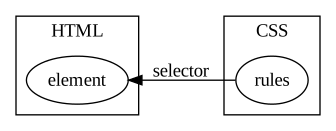
}
imports: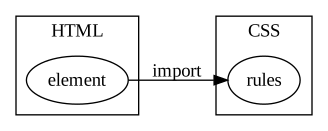
What styles are applied to this element?
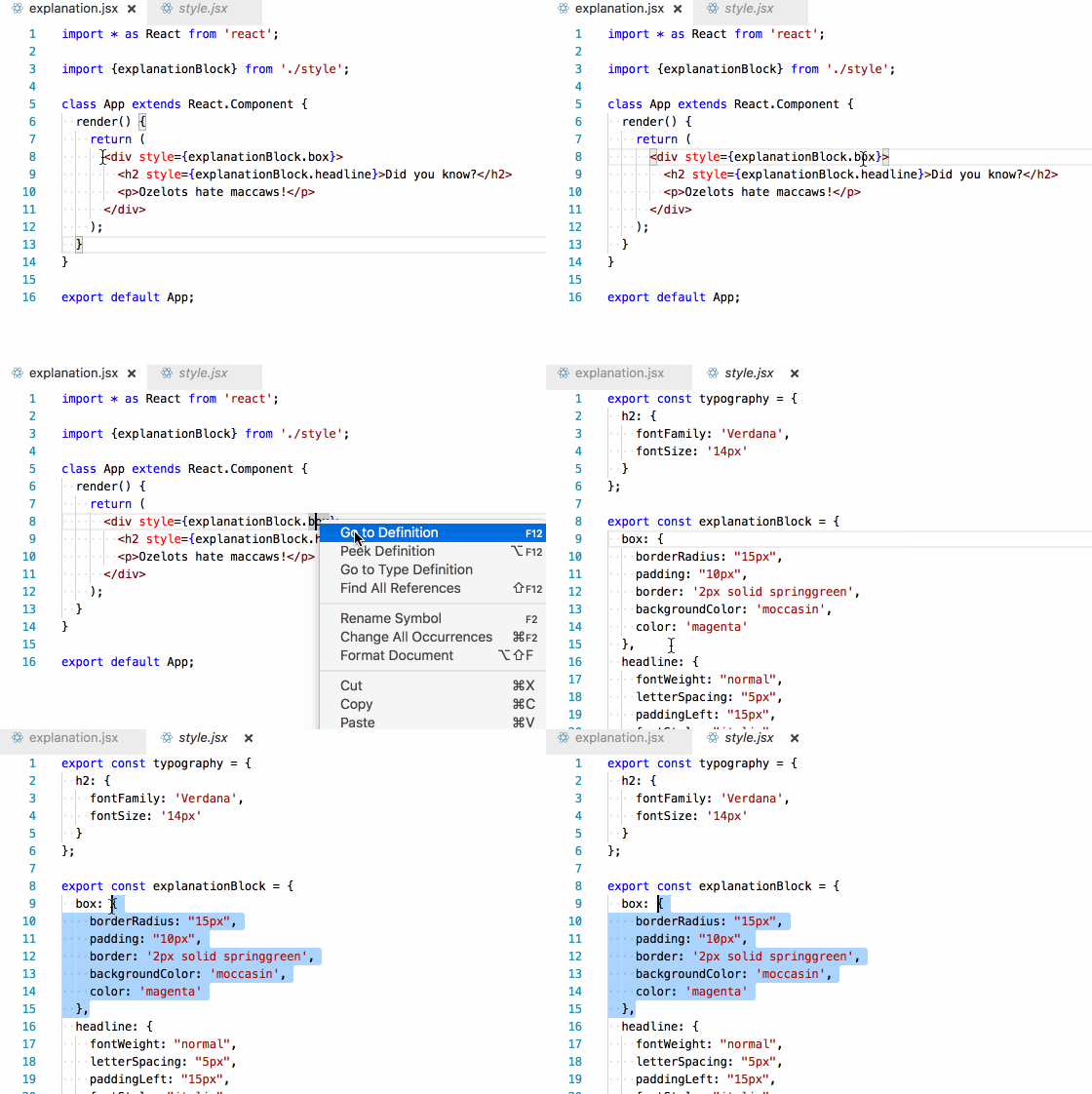
To which elements are these styles applied?
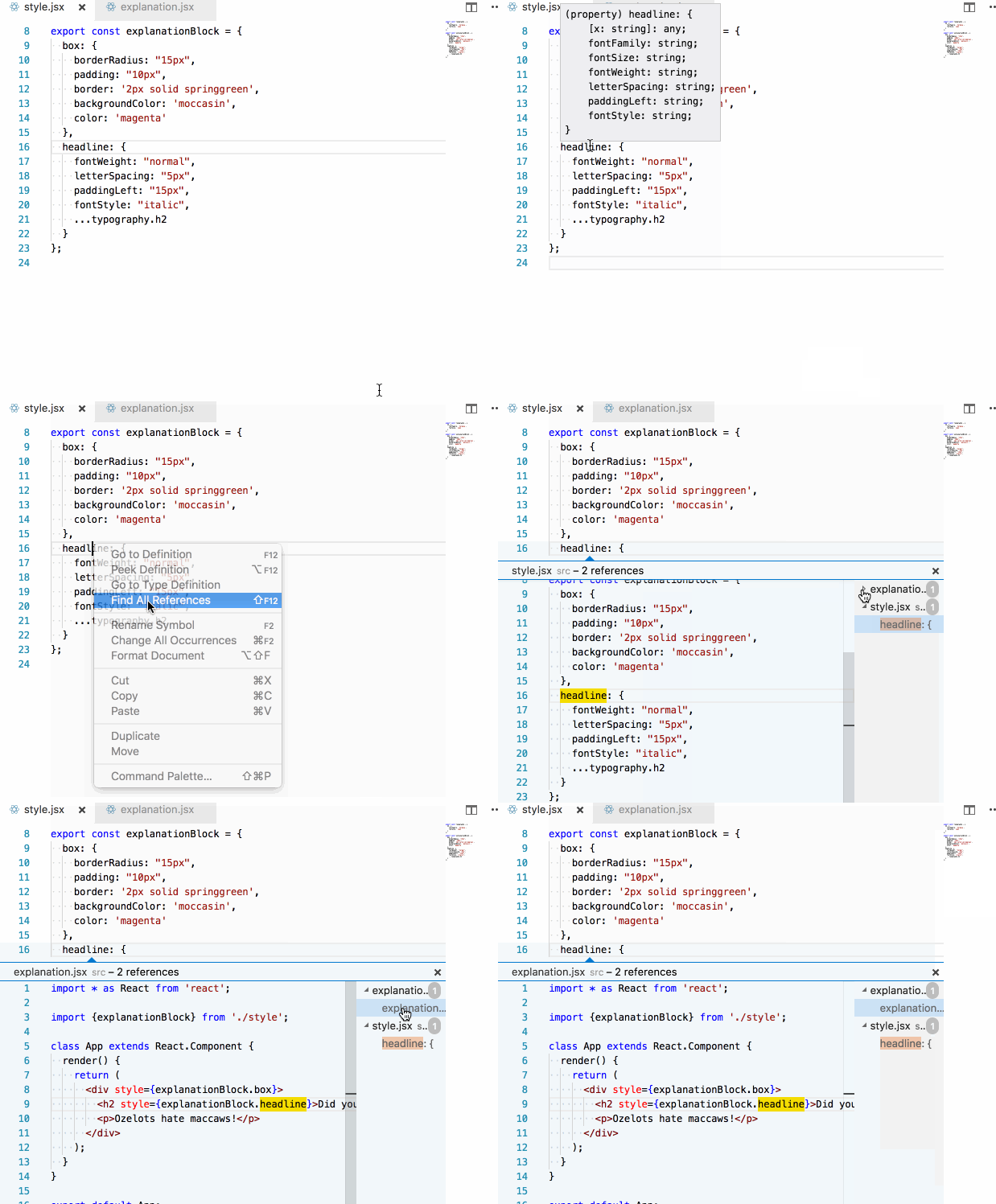
... spread operator to mix in the h2 styles into our headline rules?headline: {
...typography.h2,
fontWeight: "normal",
letterSpacing: "5px",
paddingLeft: "15px",
fontStyle: "italic",
fontSize: '14px'
}export const palette = {
softcolor: 'moccasin',
hardcolor: 'magenta',
accentuationcolor: 'springgreen'
}
export const explanationBlock = {
box: {
borderRadius: "15px",
padding: "10px",
border: '2px solid ' + palette.accentuationcolor,
backgroundColor: palette.softcolor,
color: palette.hardcolor,
},
// ...truncated:hover or @media. I hope to show how we can get around that using helper libraries in an upcoming post.